Mix Vision: Rubber Compounding Control

The Mix Vision system provides a complete view of the entire rubber compounding process. This view combined with advanced ease-of-use and a comprehensive operational design, gives the plant floor operators the ability to monitor the rubber compounding process and respond correctly to the typical production issues, reducing downtime and improving consistency. Mix Vision will store and validate the information for raw materials, pre-weighed materials, and mixed compounds (masters, re-mills, and finals). The Mix Vision system controls and tracks the automatic ingredient weighments, manual ingredient weighments, verifies ingredient loading, and controls the automatic mixing cycle completely eliminating mixing cycle variations.
Floor Operations
Receiving
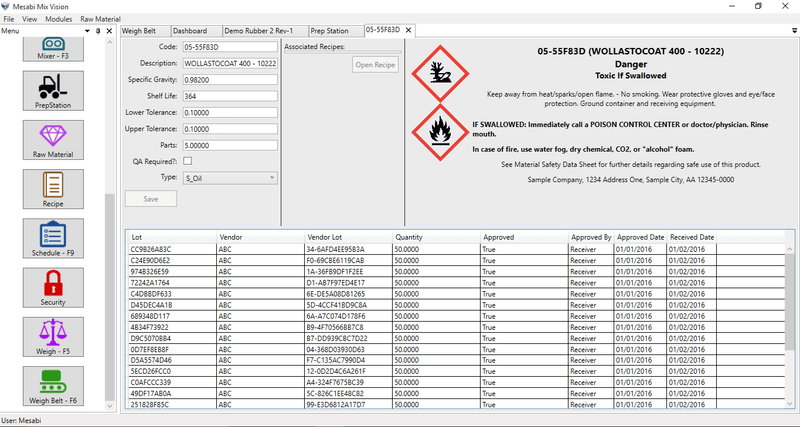
Mix Vision provides features for the entry and receipt of raw materials used by the mixing control system. Information such as; received date, shelf life, vendor information, and lot information can be entered by component and bar code labels generated for attachment to the associated packages. The bar code labels will be used for both material verification in the process and for lot traceability, in addition materials exceeding the shelf life will be flagged.
Feeder Configuration
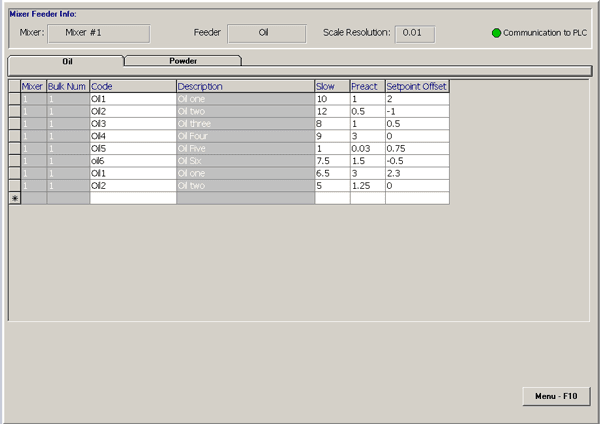
Feeder configuration provides the ability to assign ingredients to feeder positions and/or day bin positions, and adjust feeder tuning parameters such as pre-act and fast/slow settings. The feeding parameters are adjusted and maintained in the system database for each ingredient, providing consistent feeder control and repeatability.
Small Chemicals
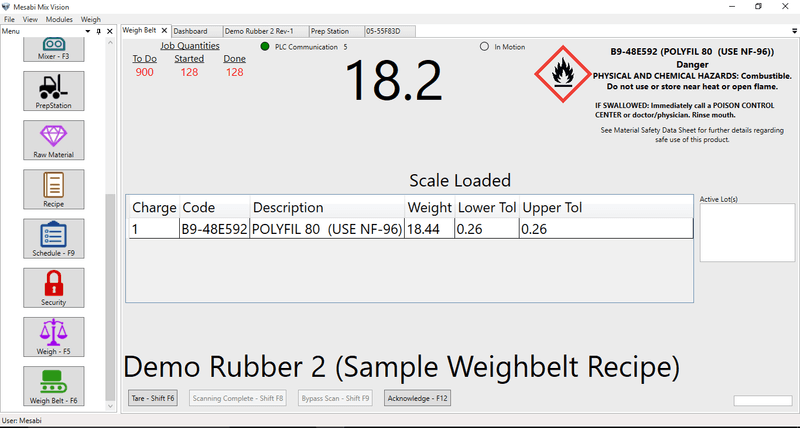
Automatic Small Chemicals
Much like the manually controlled preparation system a variety of automated feeding and weighing systems can be accommodated within the Mix Vision scheme based upon and individual customer’s needs. A locally mounted user panel provides operators with an intuitive display where instructions and requests are displayed, guiding operators through the required sequence of events. Systems can also be configured to provide lot traceability in addition to inventory control.
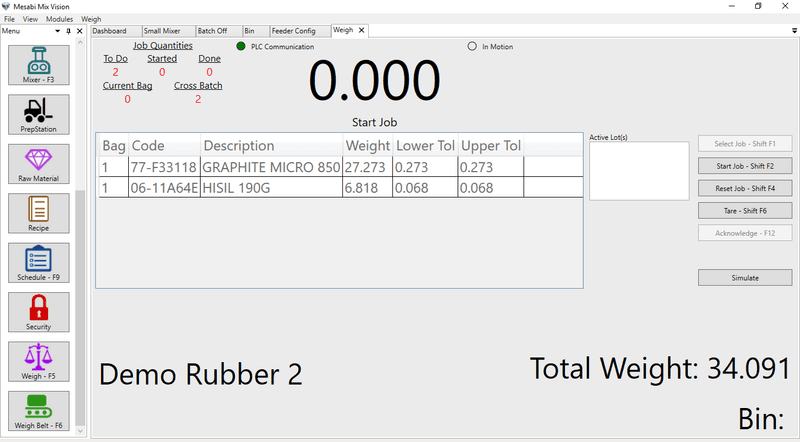
Manual Small Chemicals
Mix Vision can accommodate many different configurations of mechanical preparation systems. They can be arranged for single or multiple bag preparation with fixed or carousel style bag carriers. Systems can incorporate a scanning interlock system as well as bin locks with indicators for visual identification depending on customer requirements. A locally mounted user panel provides operators with an intuitive display where instructions and requests are displayed, guiding operators through the required sequence of events. Systems can also be configured to provide lot traceability in addition to inventory control.
Mixer
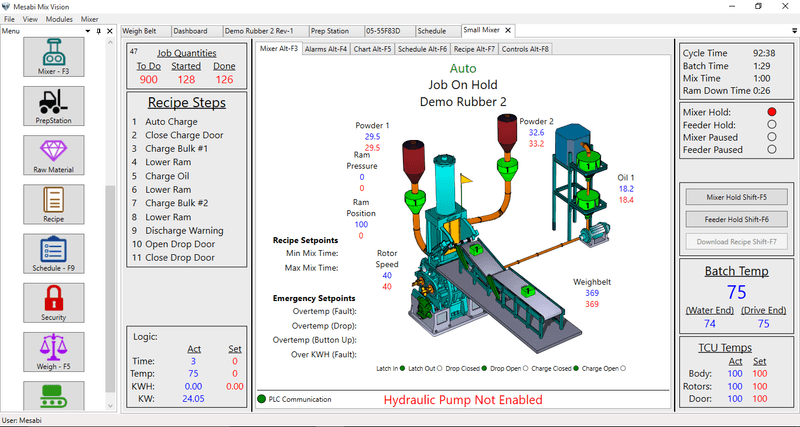
Mixer
The Mixer Real-Time screen is the main default screen showing an overview of the mixer and associated weigh/feed systems. The tabs across the top and bottom permit access to any all the features included in the customers customised package. The Mixer tab selects an animated mixer overview display showing actual equipment status such as mix sequence step and the status of the associated weighing systems. Screens are all customised to each customers configuration.
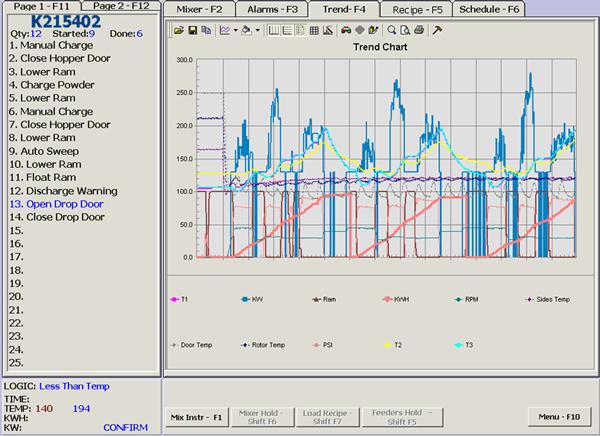
Trend Data
The Trend tab is a real-time X/Y chart which can display any of the process control variables such as compound temperature, main drive power, ram position, etc. over a time scale.
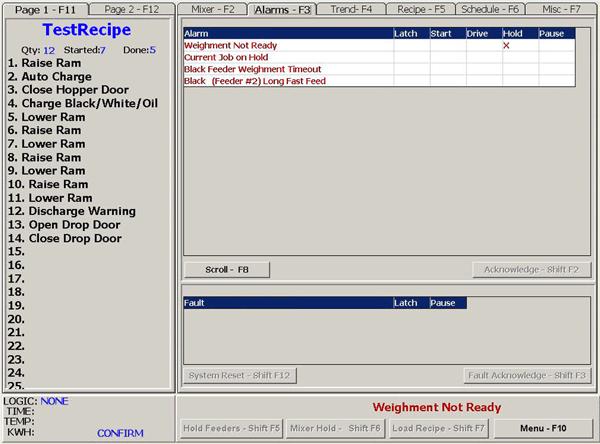
Alarms
Alarm/Fault tab displays a list of all the active alarms and faults for the current compound. The most recent alarm is always displayed at the bottom of the real-time mixing screen.
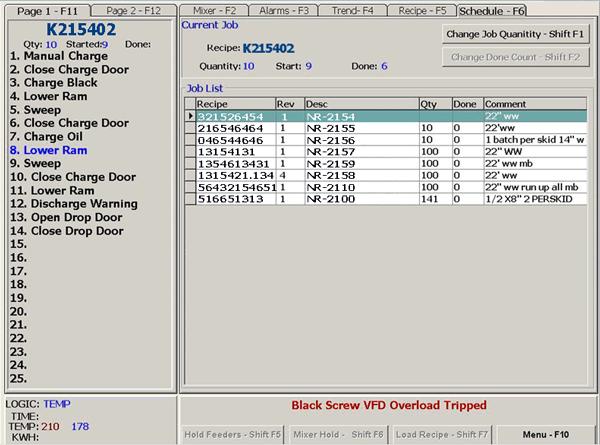
Schedule
The Schedule tab accesses the current production schedule, the running order, if mixing is taking place, and all entered follow up orders. Users have an option to reduce the quantity of batches in any running order or can delete following orders.
Mill
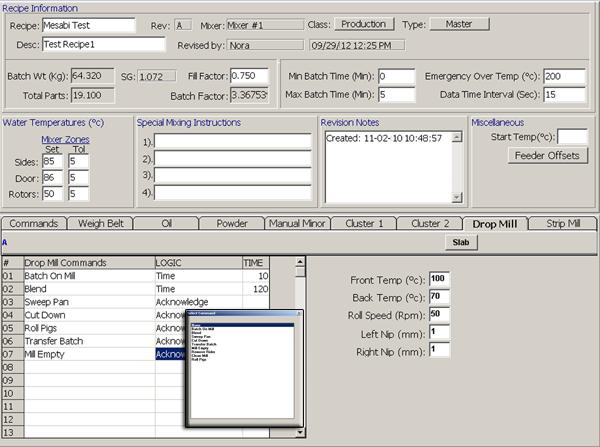
A Mill display can be configured to any number of mills; drop mill, sheeter mill, strip mill or for an extruder etc., with settings and feedback associated with each type of machine.
Batch Off
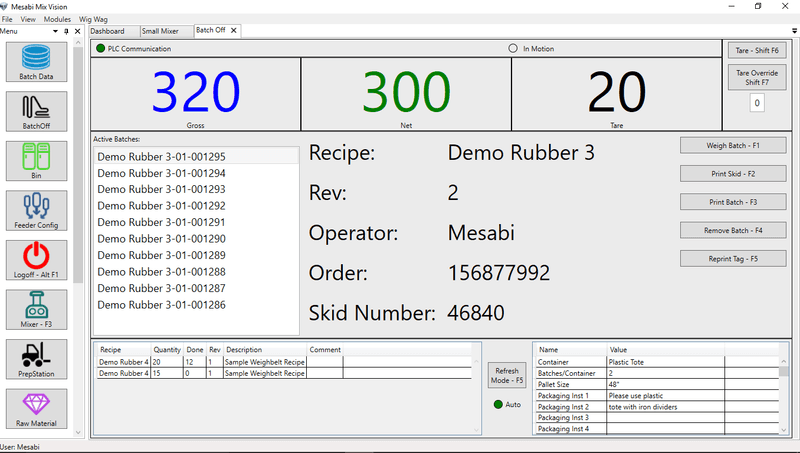
The Batchoff display typically shows the batch ID sequence from the discharge of the mixer to the cooling line discharge. It provides mechanisms for the collection of actual compound weight, packaging, and lab test information. It also provides for the printing of Compound/Skid ID tags with bar codes.
Shipping
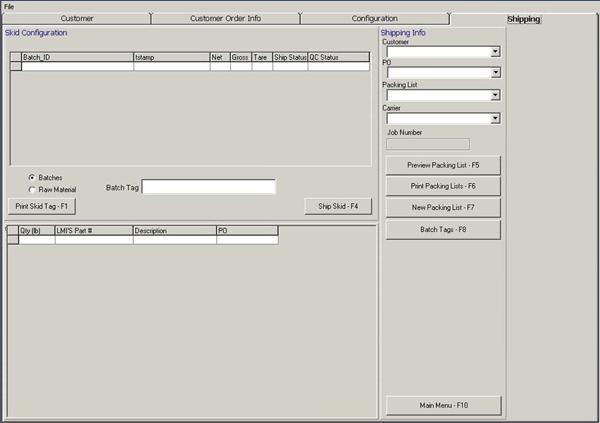
The Shipping display provides mechanisms for the selection and entry of outgoing shipping information including the creation of a barcode shipment tag that will provide complete traceability. Products/Shipments can be traced back to their raw ingredients, lots, process information, and production information facilitating the highest level of traceability.
Supervisory Functions
Entry & Scheduling
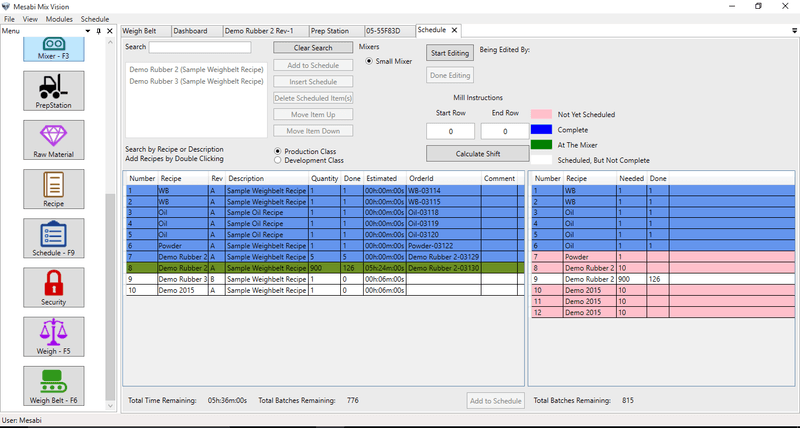
In Mix Vision orders are entered using this tool and it’s options. Tools are provided to permit entry of order number, recipe name, revision level, quantity of batches or total weight. Compound recipes and mix procedures can be shared between mixers, or variants can be created for mixers having a different capacity and or style of mixing. Schedules may be created, viewed, revised in accordance with the level of security issued to each user of the system. The system also maintains a complete history of the schedule.
Inventory Management
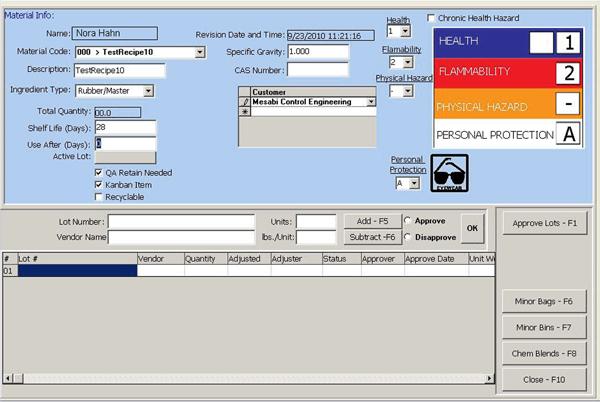
The inventory management system provides tools for managing raw materials and, where selected, providing full lot traceability via a material tracking package. Through the use of bar code identification labels and readers all raw materials can be traced from receiving through to the mixed compounds upon completion of mixing. On all pages and displays were raw material information is presented the user will also be presented with the associated personal protection equipment data (PPE).
Recipe Management
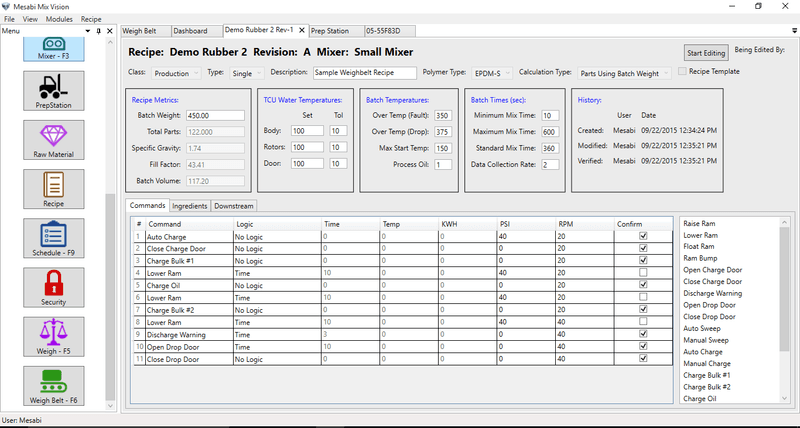
Recipe Management
The Recipe Management is designed to provide complete compound mixing control with maximum process control flexibility via the use of all the available process control parameters, including a specialised hold temperature command for silica mixing. All possible Logic (And/Or) and process parameter (Time, Temperature, Kw, KwH) combinations are available to be used at any step of the mixing cycle. Ingredients are selected and added to scale categories and charge groups.
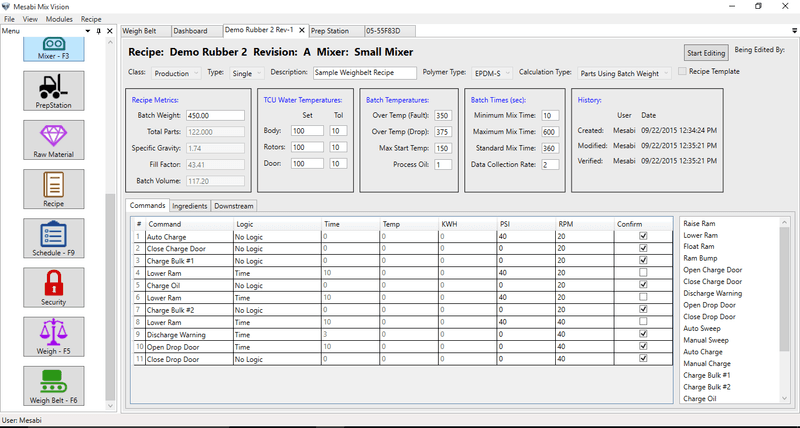
Process Commands
Ingredients
Reporting
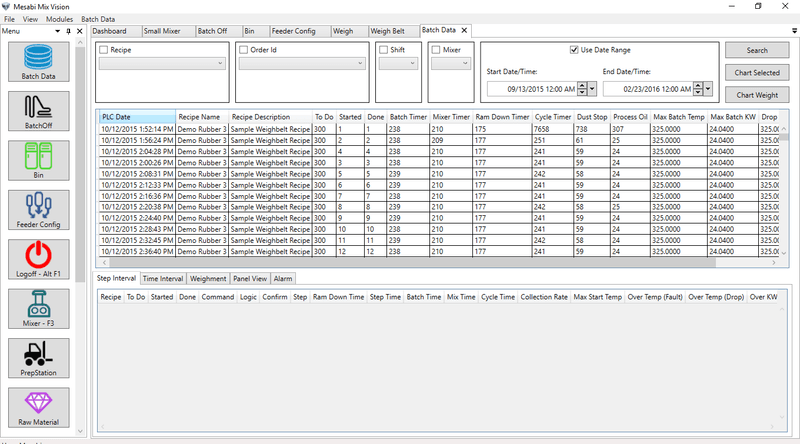
Reporting
The ability to collect and analyze accurate process, production, and inventory data is critical in today's business environment. Process and ingredient data is automatically collected for each compound produced. This complete compound history provides the detailed data necessary for process analysis, quality control, and traceability. The compound history, material tracking, usage, production, scheduling, and recipe information is available within the database, and can be utilised by other processes and/or applications at the plant information system level, such as MRP, ERP, etc.
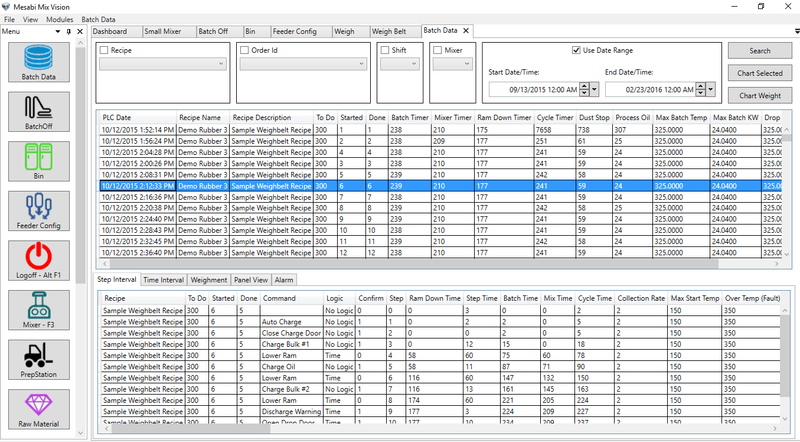
Production Report
Reports in Mix Vision Gen2 are created using SQL Server Reporting Services or SSRS. This tool hosts the reports on the end user’s server to be accessed by client PCs. These reports are created and edited using Visual Studio with a plugin for creating SSRS reports. Mesabi ensure that the version of Visual Studio used is the free version, this permits customers to create and edit reports as needed. The other advantage to SSRS is that users do not actually need to be in Mix Vision to in order to access the reports. The user just needs access to host server to view reports.
The default SSRS package also allows for the export of reports in different formats: PDF, Excel and CSV, the most common. From that export users can manipulate the data or use it in presentations as and where needed. Of course, reports can also be printed onto paper.
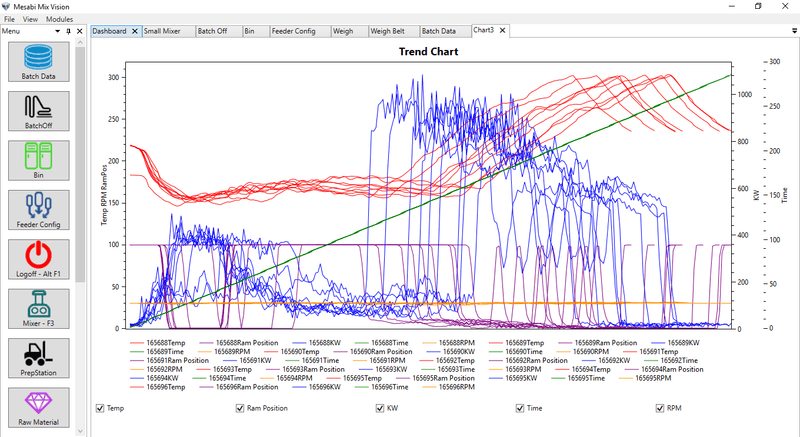
Mix Cycle Chart
Weighment Accuracy & Material Usage Reports
Security
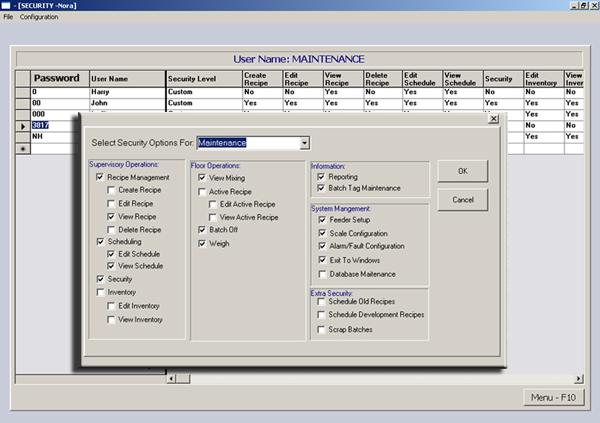
The Mix Vision security provides mechanisms to set up multiple levels of security to control and track access to system operations. Security templates are provided for groups and types of users, which can be tailored and customised to each customer’s requirements.